

The advanced parameters for restoring mode
Select advanced parametersChoose the extra parametrs you want. Here we just press enter to accept the default settings:

Choose the option "-k0" (Use the partition table from the image)

If the target disk size is larger than the size of source disk of image, you can try to use option "-k1" which will create the partition table proportionally in the target disk and turn on option "-r" to resize the file file system in the partition automatically. This is useful to make use all of the target disk size.
If the destination disk is smaller than the source disk, if using beginner mode, you will see an error message like this (attempting to restore an image saved from 17.1 GB to a smaller disk (8.5 GB):
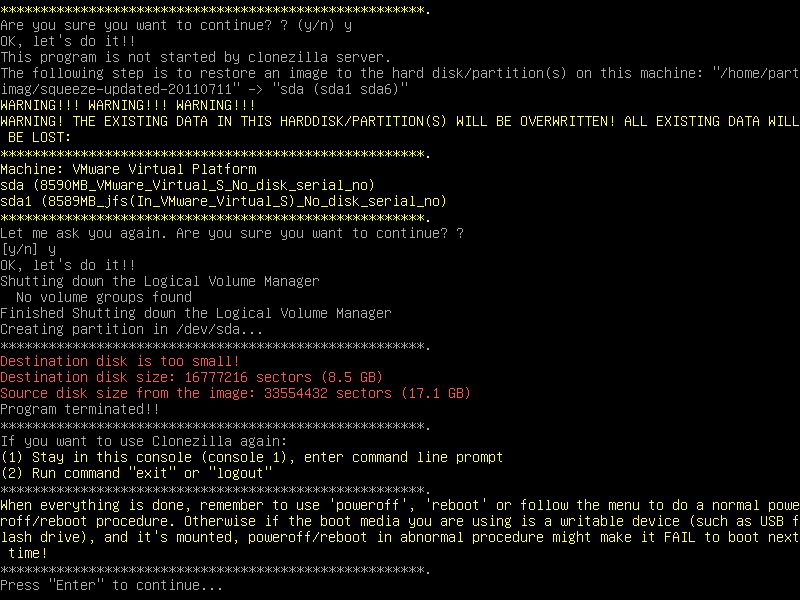
If you are sure all the data from the image could fit the smaller disk, i.e. it won't be written to the wrong disk space, you can check the option "-icds".Warning! To select this option, you have to know what you are doing!.
For more details about the advanced parameters of Clonezilla live, you can also check this FAQ/Q&A.
